|
Getting your Trinity Audio player ready...
|
One Small Robots.txt Mistake Can Block Your Entire Website From Google
Many businesses spend months improving content, building backlinks, and optimising pages, only to discover a simple technical mistake is preventing search engines from properly crawling the site.
That mistake is often hidden inside the robots.txt file. Understanding how and where to use robot.txt is a crucial part of technical SEO.
A poorly configured robots.txt file can accidentally block important pages, waste crawl budget, or create indexing problems that quietly damage rankings over time.
At the same time, when used correctly, robots.txt becomes one of the most effective tools for controlling how search engines interact with your website.
What Is Robots.txt?
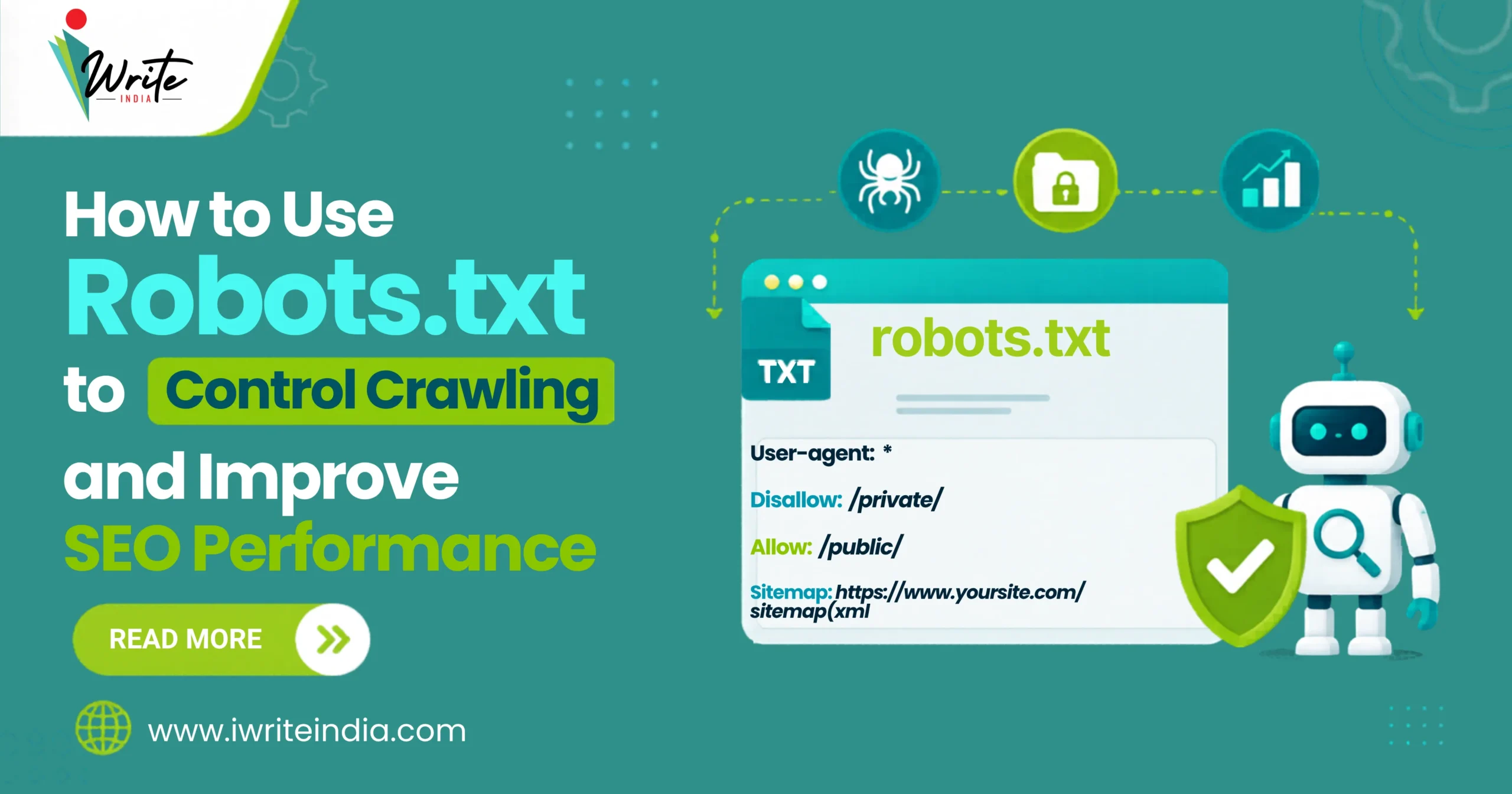
A robots.txt file is a text file placed in the root directory of a website that tells search engine crawlers which pages or sections they may or may not crawl.
It acts as a set of instructions for bots like Google Googlebot and helps websites manage crawl efficiency and search visibility.
Why Robots.txt Matters for SEO
The robots.txt file directly affects how search engines access and crawl your website. While it does not control indexing on its own, it plays an important role in guiding crawler behaviour and improving technical SEO efficiency.
A properly configured robots.txt file helps search engines allocate crawl budget more effectively, discover important pages faster, and avoid wasting resources on low-value or unnecessary sections of the site.
How Robots.txt Works
When a search engine crawler visits your website, one of the first files it checks is the robots.txt file. The crawler reads the instructions to understand which sections of the website can be accessed, which areas should be avoided, and where the XML sitemap is located.
For example, a robots.txt file may instruct search engines not to crawl admin pages, ignore internal search result pages, and focus on important public-facing content instead.
This helps improve crawling efficiency and optimise website indexing.
Where Is the Robots.txt File Located?
The robots.txt file must be placed in the root directory of your website so search engines can find it.
A standard robots.txt URL usually looks like https://yourdomain.com/robots.txt.
If the file is placed in the wrong location, search engines may fail to detect and follow its instructions properly.
What Is the Difference Between Crawling and Indexing?
Many website owners confuse crawling with indexing, but they are two different stages of how search engines process websites. Website crawlers are the first point of contact between your website and search engines
Crawling is the process by which search engines discover and access pages on your website, while indexing happens afterwards when search engines decide whether those pages should appear in search results.
It is also important to understand that blocking a page in robots.txt only prevents crawling. It does not always guarantee the page will stay out of search results if external links or other indexing signals still point to it.
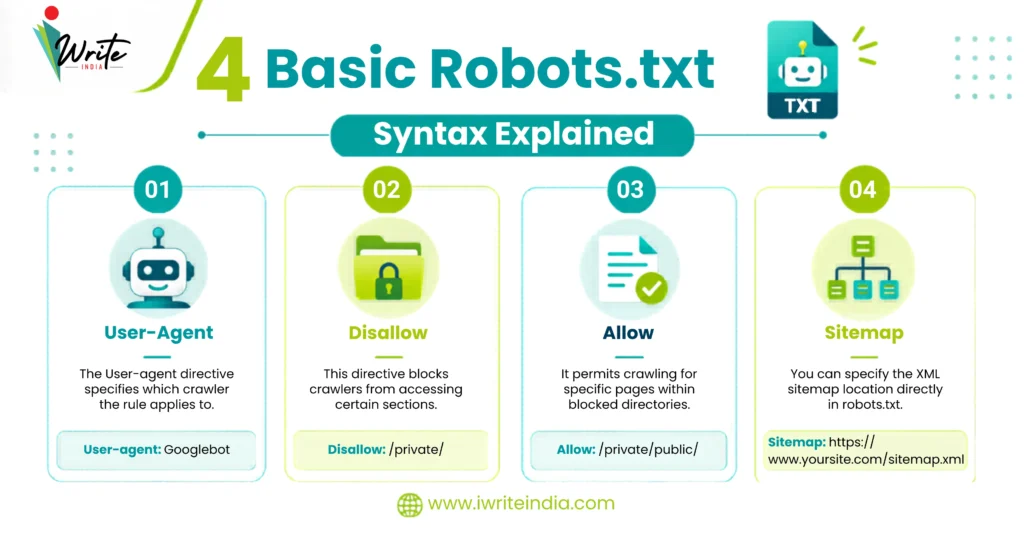
4 Basic Robots.txt Syntax Explained
Understanding the basic rules of robots.txt is essential before making changes.
- User-Agent
The User-agent directive specifies which crawler the rule applies to.
Example: User-agent: Googlebot - Disallow
The Disallow directive blocks crawlers from accessing certain sections.
Example:
Disallow: /admin/ - Allow
The Allow directive permits crawling for specific pages within blocked directories.
Example:
Allow: /public-page/ - Sitemap
You can specify the XML sitemap location directly in robots.txt.
Example:
Sitemap: https://yourdomain.com/sitemap.xml
Common Robots.txt Rules Websites Use
Every website has different crawling requirements depending on its structure, size, and content strategy.
Robots.txt is commonly used to manage areas that do not provide meaningful SEO value or create unnecessary crawl waste.
- Blocking admin areas
- Restricting internal search pages
- Preventing duplicate parameter crawling
- Limiting staging environments
- Controlling faceted navigation crawling
The objective is not to restrict search engines unnecessarily, but to help crawlers focus their resources on the pages that matter most for visibility and indexing.
Best Practices to Optimise Robots.txt for SEO
Good robots.txt optimisation is about improving crawl efficiency, not simply blocking search engines from accessing pages.
- Keep the file clean and simple. Overcomplicated rules increase the risk of accidental blocking.
- Only block pages that provide little or no SEO value.
- Always ensure important content sections remain crawlable.
- Include your XML sitemap to help search engines discover pages more efficiently.
- Review robots.txt regularly after redesigns, migrations, or CMS updates.
A well-structured file helps crawlers focus on the sections of your website that provide the most SEO value.
7 Steps Robots.txt Optimisation Checklist
Before making changes to your robots.txt file, follow a structured process to avoid accidentally blocking important pages or disrupting crawl accessibility.
- Locate your existing robots.txt file.
- Identify unnecessary sections being crawled.
- Block low-value pages carefully
- Ensure important pages remain accessible
- Add your XML sitemap location
- Test robots.txt rules using Google Search Console
- Monitor crawl activity after changes
Even small changes to robots.txt should be tested carefully, as a single incorrect directive can negatively affect crawling, indexing, and overall SEO performance.
4 Common Robots.txt Mistakes That Hurt SEO
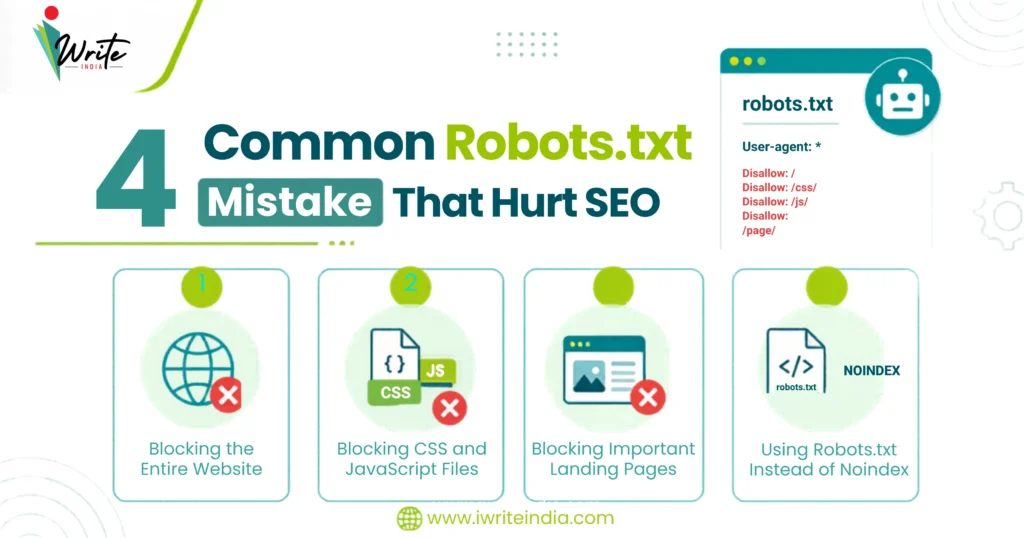
Many websites accidentally reduce visibility due to poor robots.txt implementation.
1. Blocking the Entire Website
One incorrect rule can prevent search engines from crawling everything.
Example: Disallow: /
This directive tells crawlers not to access any page on the site, making it one of the most damaging robots.txt mistakes if implemented unintentionally.
2. Blocking CSS and JavaScript Files
Search engines need access to important resources for proper rendering. Blocking CSS or JavaScript can create rendering and indexing problems.
3. Blocking Important Landing Pages
Sometimes websites unintentionally block service pages, category pages, or blog sections. This directly limits visibility and rankings.
4. Using Robots.txt Instead of Noindex
Robots.txt blocks crawling, not indexing behaviour itself. If a page should not appear in search results, using a noindex directive may be more appropriate.
Robots.txt and Crawl Budget Optimisation
Search engines allocate limited crawl resources to each website, so crawlers cannot spend unlimited time processing every URL.
Large websites often face inefficient crawling because bots waste resources on unnecessary or low-value pages.
A properly optimised robots.txt file helps reduce wasted crawl activity, prioritise important sections, improve crawl efficiency, and support faster indexing of valuable content.
As websites grow in size and complexity, effective crawl budget management becomes increasingly important for maintaining strong SEO performance.
How Robots.txt Affects Website Indexing
Robots.txt indirectly influences how search engines process and optimise website indexing. If crawlers cannot access important pages, content may not be discovered properly, internal links may go unfollowed, and page updates may not be processed efficiently.
In many cases, the problem is not poor rankings alone, but poor crawl accessibility that prevents search engines from fully understanding the website.
Robots.txt for eCommerce Websites
eCommerce websites often generate thousands of URLs through filters, sorting parameters, faceted navigation, and session IDs.
Without proper management of robots.txt, search engine crawlers can waste valuable resources processing low-value or duplicate pages rather than focusing on important product and category pages.
Common eCommerce Robots.txt Strategy
Many eCommerce websites use robots.txt to prevent crawlers from accessing low-value or unnecessary sections of the site. This often includes internal search result pages, duplicate filtered URLs, and cart or checkout pages.
By limiting access to these areas, online stores can improve crawl efficiency, reduce duplicate content issues, and help search engines focus on important product and category pages instead.
Robots.txt and AI Search Crawlers
Modern AI-powered search systems are increasingly crawling and processing websites differently from traditional search engines. Clean management of robots.txt helps improve crawl clarity, reduce unnecessary resource usage, and guide automated systems to important content more effectively.
As AI-driven search continues evolving, technical crawl management is becoming an increasingly important part of long-term SEO strategy.
4 Steps to Test Your Robots.txt File
Never assume your robots.txt file works correctly without testing it.
- Use Google Search Console’s robots.txt Tester to validate directives and detect blocked resources.
- Use crawl tools like Screaming Frog to simulate crawler behaviour and identify restricted URLs.
- Review server logs to understand how bots interact with blocked sections.
- Testing helps prevent accidental SEO damage.
Regular testing ensures your robots.txt rules support crawl efficiency without accidentally blocking important content or damaging search visibility.
How a Simple Robots.txt Mistake Can Quietly Block Rankings
A business redesigned its website and migrated to a new CMS platform, but shortly after launch, organic traffic declined, important service pages disappeared from search results, and crawl activity dropped significantly.
The issue was eventually traced back to a robots.txt rule that accidentally blocked the entire /services/ directory.
Once the rule was corrected, search engine crawling and indexing gradually recovered. The problem was not content quality or backlinks, but restricted crawl access.
Robots.txt vs Meta Robots Tags
These two directives are often confused, but they serve different purposes in technical SEO. Robots.txt controls whether search engine crawlers can access specific pages or sections of a website, while meta robots tags control whether pages should be indexed or followed after they have been crawled.
An important distinction is that if a crawler is blocked by robots.txt, it may never access the page at all, meaning it may also never see any page-level meta robots instructions in the HTML.
Why Robots.txt Requires Ongoing Monitoring
Technical SEO changes constantly. Website redesigns, plugin updates, CMS changes, and migrations can unintentionally modify robots.txt behaviour. This is why regular audits are essential, especially for growing websites.
Why Businesses Work With Technical SEO Experts
Robots.txt may look simple, but even small mistakes can significantly affect search engine crawling, indexing, and rankings.
Many businesses seek professional SEO services in Delhi because technical SEO issues often remain hidden until traffic declines.
An experienced SEO team can:
- Audit crawl accessibility
- Optimize robots.txt rules
- Improve crawl budget allocation
- Prevent accidental blocking issues
Technical SEO is often less about dramatic changes and more about avoiding costly mistakes.
Build a Stronger Technical SEO Foundation with iWrite India

At iWrite India, we help businesses improve crawl efficiency, technical accessibility, and long-term SEO performance.
From robots.txt optimisation to full technical SEO audits, our focus is on helping search engines process your website more effectively while protecting your visibility.
Strong SEO starts with making your website accessible the right way.
Final Thoughts on Robots.txt Optimisation
Understanding how to use robots.txt correctly is essential for controlling search engine crawling and improving technical SEO performance.
A well-optimised robots.txt file helps search engines focus on valuable content, improves crawl efficiency, and reduces unnecessary indexing problems. When managed properly, robots.txt becomes a strategic SEO tool rather than just a technical file hidden in your website’s backend.
FAQs About Robot.txt
Q1. Can robots.txt prevent a page from appearing in Google search results?
Not always. Robots.txt blocks crawling, but pages may still appear in search results if external links or other indexing signals exist. A noindex directive is more reliable for preventing indexing.
Q2. Should I block category pages in robots.txt?
Usually no. Category pages often offer valuable SEO opportunities and help search engines understand a website’s structure. Blocking them can reduce visibility and internal linking strength.
Q3. What happens if my robots.txt file is missing?
If no robots.txt file exists, search engines generally assume all pages are crawlable. While this is not inherently harmful, it removes your ability to guide crawler behaviour strategically.
Q4. Can robots.txt improve website speed?
Indirectly, yes. By reducing unnecessary crawl activity, robots.txt can help search engines allocate resources more efficiently, potentially improving crawl performance and indexing speed.
Q5. How often should I audit my robots.txt file?
You should review robots.txt after major website updates, migrations, redesigns, or CMS changes. Regular audits help catch accidental blocking rules before they affect rankings.